Organize the fair
HR creates the fair, adds booths, invites vendors, manages the event content and sessions, and reviews booth visits and lead activity.
Run a fair that people can explore on their own schedule. In Zipplee, HR can create a fair, invite exhibitors to build booths, and give attendees videos, documents, live sessions, and answers from booth and fair-wide AI concierges. For immersive meetings and larger events, the separate Anytime Fairs platform adds shared 3D rooms and live camera avatars.
Start with a benefits fair or adapt the format for hiring, education, wellness, and other events. The fair gives organizers, exhibitors, and attendees distinct places to work.
HR creates the fair, adds booths, invites vendors, manages the event content and sessions, and reviews booth visits and lead activity.
Vendors can add a welcome video, brochures, approved answers for their booth concierge, and links to book or join a conversation. Each vendor can see and export leads for its own booth.
Attendees register, move through the lobby and exhibit hall, visit booths, view sessions, and ask questions at a booth or the fair-wide Info Desk. The lounge offers a place to connect with other attendees.
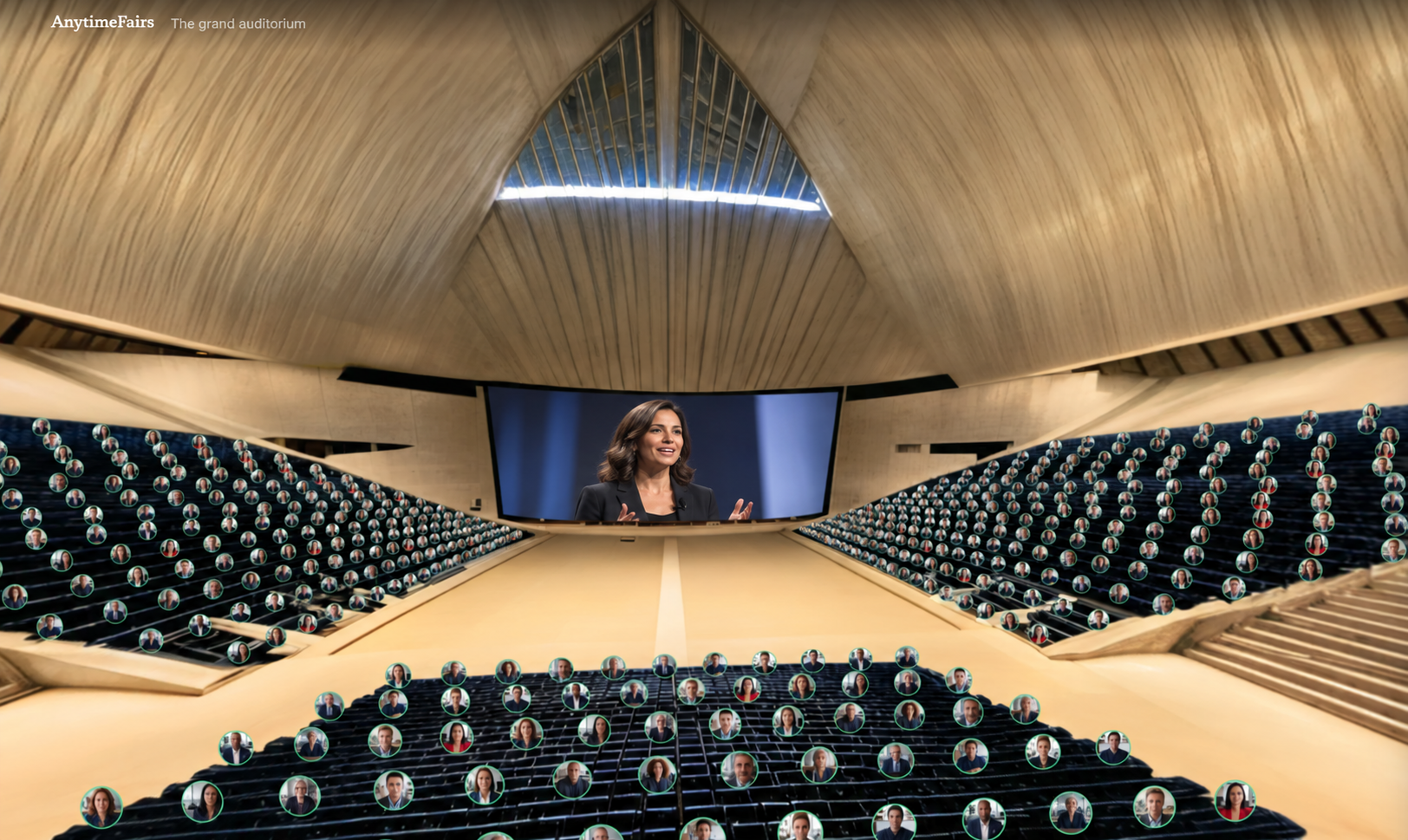
Your live camera feed appears inside the green circle on your avatar, using the camera on your computer, tablet, or phone. Build a shared 3D world with furniture, decorations, objects, documents, and video screens, then set the room’s lighting and music. Scripted workflows can greet people, reveal content, guide attention, and shape presentations.
Each green circle represents a participant’s live camera feed.


Use the room editor to place furniture, decorations, objects, document boards, and video screens. Save a shared layout or start from a reusable room template.
Choose room lighting moods and exposure, play music from the room’s library, and enable the controls a venue wants visitors to use.
Attach a sequence to a placed object or screen. Test timed actions such as greetings, reveals, video, music, and lighting, then run the sequence for everyone in the room.
Recruiters publish availability, candidates receive held appointment times, and the host sees the fair-wide calendar of free, held, and booked interviews.
Anytime Fairs’ Rehearsal Studio lets candidates practice being interviewed and recruiters practice giving the interview, with a conversation debrief afterward.
Use the same shared-world model for client meetings, team conversations, workshops, conferences, benefits, and job fairs—not only a single fair-day booth.
The integrated fair connects the organizer, vendor, and employee experience.
HR creates a benefits fair, adds participating vendors, shares their booth links, and prepares the welcome content and sessions.
Vendors add booth materials and answers. Employees register, browse the hall, watch videos, open brochures, and ask booth or fair-wide questions when it suits their shift.
HR reviews fair activity. Each vendor can review its own booth visits and lead touches, including questions and resource interest, then follow up with attendees.
The integrated Zipplee fair brings booths, materials, AI answers, sessions, and follow-up into one event. For designed 3D rooms, shared camera avatars, recruiter scheduling, and rehearsals, use the separate Anytime Fairs platform. A benefits fair helps people understand their options; enrollment still happens through your company’s enrollment process.
Anytime Fairs is a separate standalone platform for full events and year-round fairs.