Build once for the role
Name the job and describe your company, or draw company context from material already in Zipplee. Five Days builds one world for that role, so invited candidates face the same people, pressures, and five days.
Build a five-day business world for a role, then invite candidates into that same world. They ask questions, make commitments, and face the consequences. HR can replay what happened and use the evidence to guide a more specific interview.
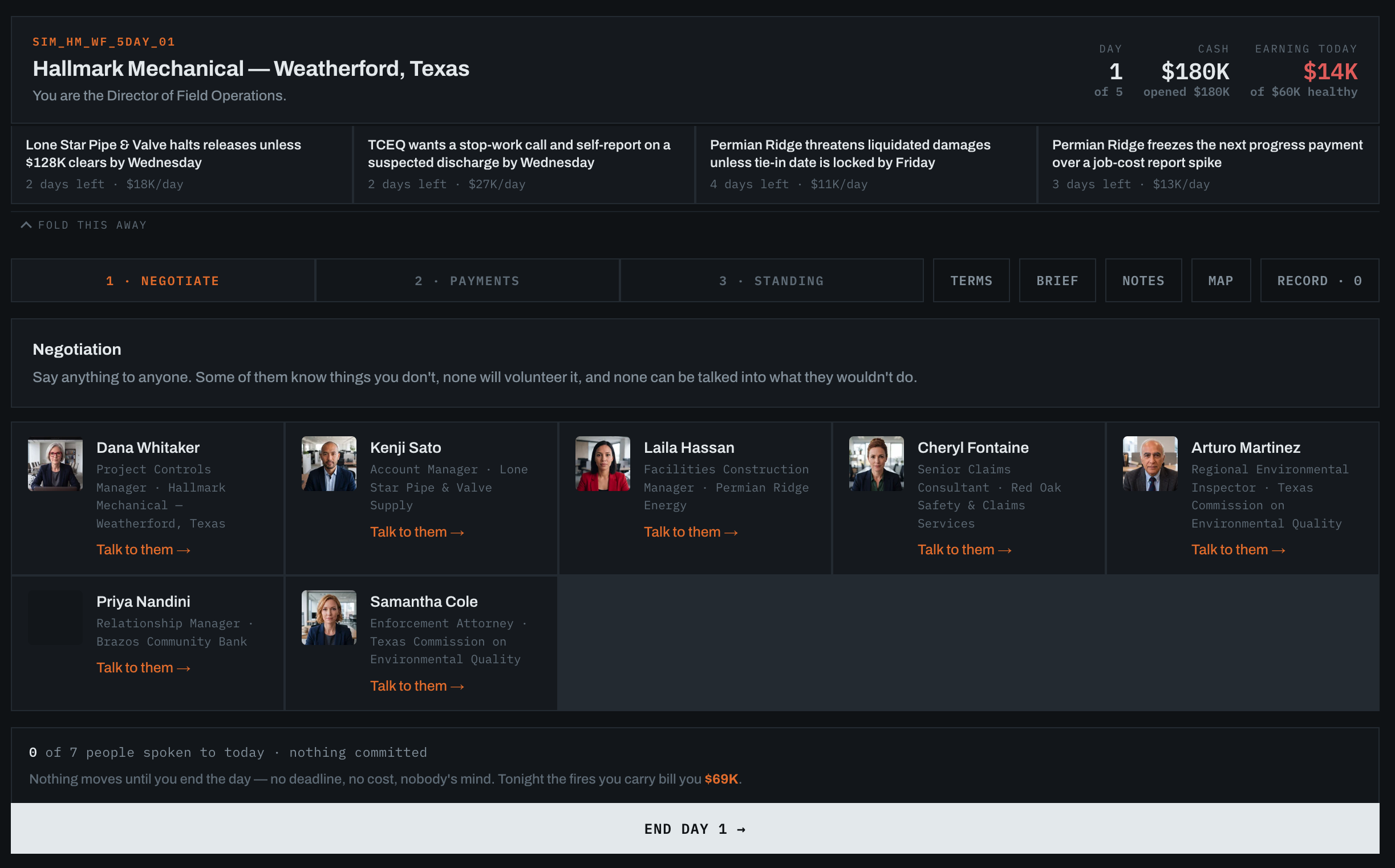
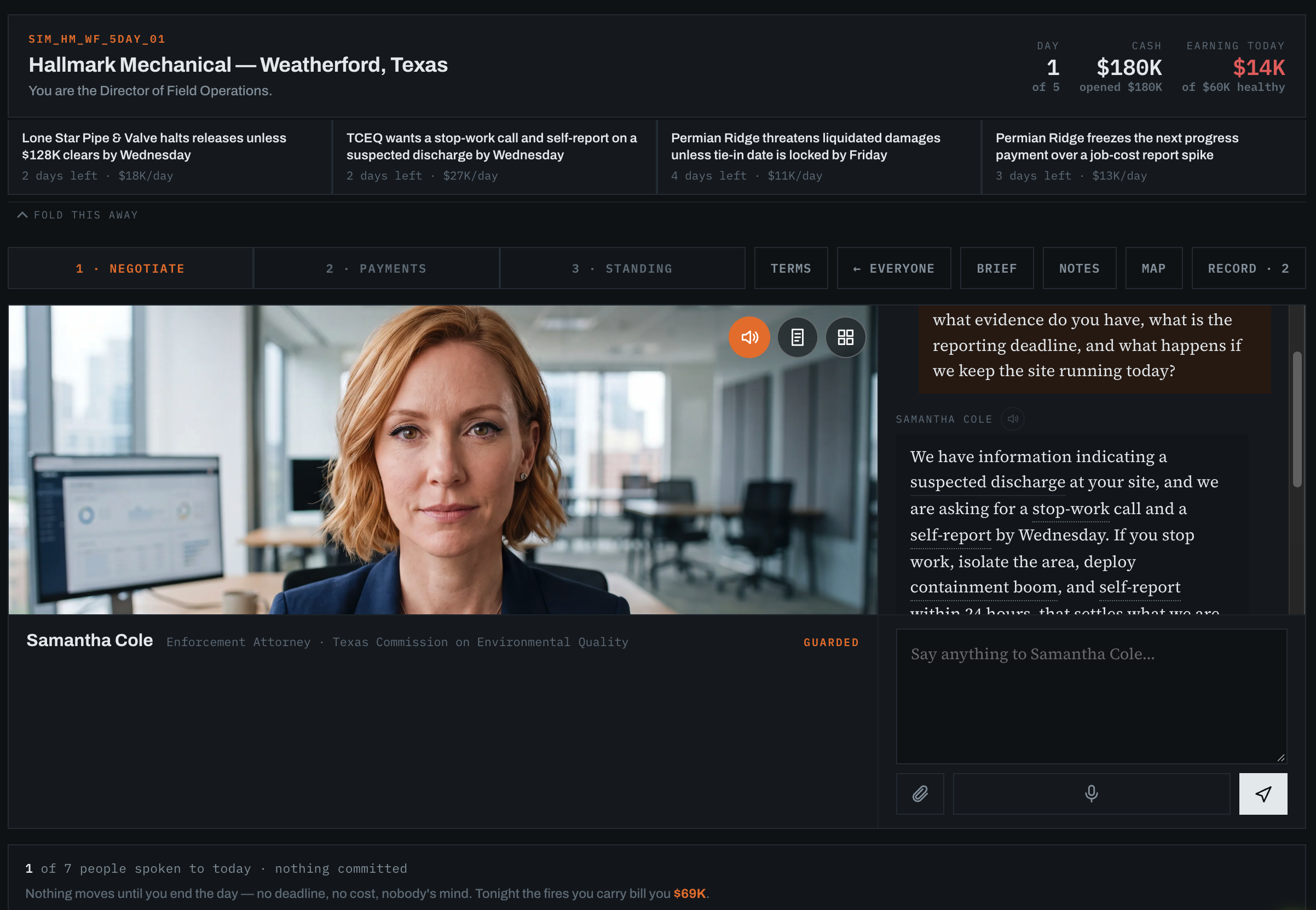
The player can question people involved, check what they know, and decide what to do with limited time and resources. The record preserves what they knew when they acted and what happened next.
Shown here: a conversation with an environmental regulator in an illustrative game world.
Name the job and describe your company, or draw company context from material already in Zipplee. Five Days builds one world for that role, so invited candidates face the same people, pressures, and five days.
The player questions counterparties, handles commitments, and weighs deadlines against limited resources. Each decision changes what the business faces next; at the end of the week, the people affected can ask about it.
The event record preserves the facts, resources, and outstanding commitments visible when someone acted. HR can see whether a useful question came before or after a decision.
Watch a finished run back or read its event-by-event record. Follow questions, actions, costs, and consequences in order instead of judging only the final outcome.
After a run ends, HR can score it across evidence-based decision areas. Each mark points back to moments in the record, with a checked written note to help frame follow-up questions.
HR can compare two finished, scored candidates who played the same role world. The comparison supports a human review; it does not choose whom to hire.
How a hiring team can gather comparable work samples.
HR names the role and provides company context. Five Days builds a business week once, then HR sends that same world to each candidate.
Each candidate asks people for information, chooses what to commit, and deals with the world’s response over five simulated days.
HR watches the run back, reviews evidence-linked marks, and asks why the candidate acted at selected moments. Two candidates can be compared when they sat the same world.
A replayable record of each candidate’s questions, commitments, and outcomes, plus evidence-linked marks for a human hiring review. Use those moments to make interviews more specific; HR makes the decision. Fieldwork is a separate authored work sample.