Turn plan documents into a guide
Create a branded benefits guide from published plan documents. Review the draft and its plan tables before releasing it to employees through the normal approval process.
Build a benefits experience from your company’s actual plan information: a readable guide, an employee hub with plan comparisons, an open-enrollment launch, a virtual fair, and individual total rewards statements. Give people answers they can revisit when a decision matters.
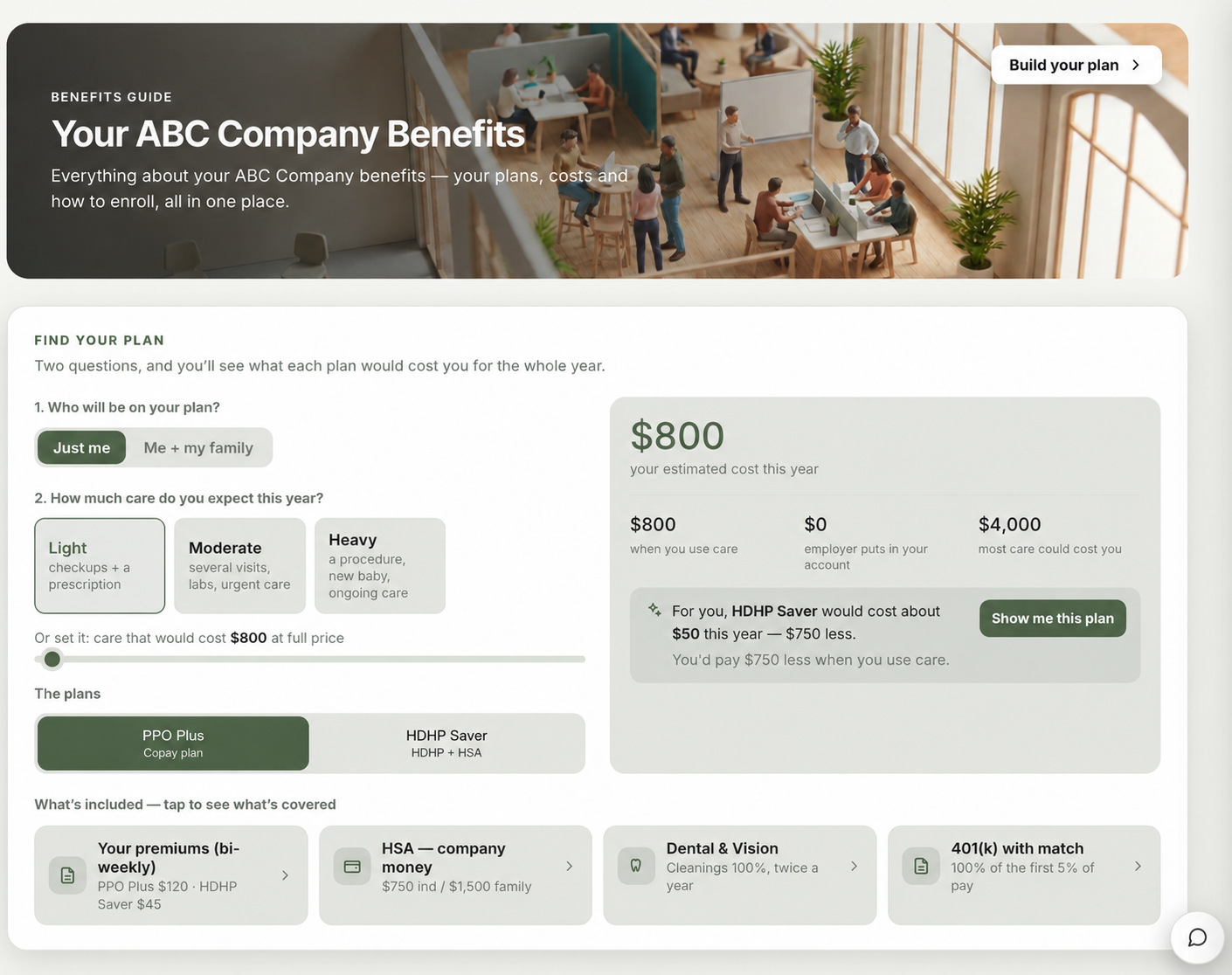
Create a branded benefits guide from published plan documents. Review the draft and its plan tables before releasing it to employees through the normal approval process.
The hub’s plan picker uses your plan figures with an employee’s coverage and expected-care choices to estimate annual cost and show what is included. Estimates are decision support, not a promise of actual claims or final enrollment cost.
Set the enrollment window and guide design, then run a sequence that generates a guide draft, refreshes an existing hub, prepares a communications calendar, opens or reuses a fair, and tests the concierge. Each step reports its result or why it was skipped.
Give vendors booths for videos, brochures, scheduling links, and benefit questions. Employees can visit on their own time; HR can review fair activity and exhibitors can follow up on their own booth leads.
The enrollment run checks that the published hub snapshot contains readable plan documents, then asks the live concierge a test question. Review its answer against approved plan material before inviting employees.
Import compensation and benefit lines from a CSV matched to your People roster, review each employee’s salary and employer-paid contributions, and save an individual statement as a PDF. Employee-paid amounts are shown separately from the total rewards figure.
A practical sequence using the current Zipplee tools.
HR publishes the current plan documents, checks rates and enrollment dates, and chooses the guide design and enrollment window.
Run Open Enrollment creates a guide draft, refreshes a hub that is already published, schedules calendar entries, opens or reuses a fair, and verifies the concierge. HR checks each result and approves the guide before employees see it.
Preview the planned messages and recipients, then handle delivery through the configured process: the campaign engine currently runs in dry-run mode and does not send email or SMS. Use reviewed payroll and benefits figures to create individual total rewards statements.
A connected guide, employee hub, comparison tools, fair, concierge, and individual statements grounded in reviewed company data. The guide remains a draft until approved, campaign delivery is a preview, and employees still enroll through the company’s configured enrollment process.