Make it feel like your company
Start with a theme, then fine-tune the logo, colors, fonts, background, app icon, and layout. Preview changes on the phone, save a reusable look or draft, and choose “Publish Hub” when employees should see it.
Give the work a place people can find. HR prepares and manages the content; employees open a branded home for benefits, documents, learning, company updates, and next steps. Add company answers through AI Concierge and keep personal documents on a separate private shelf.
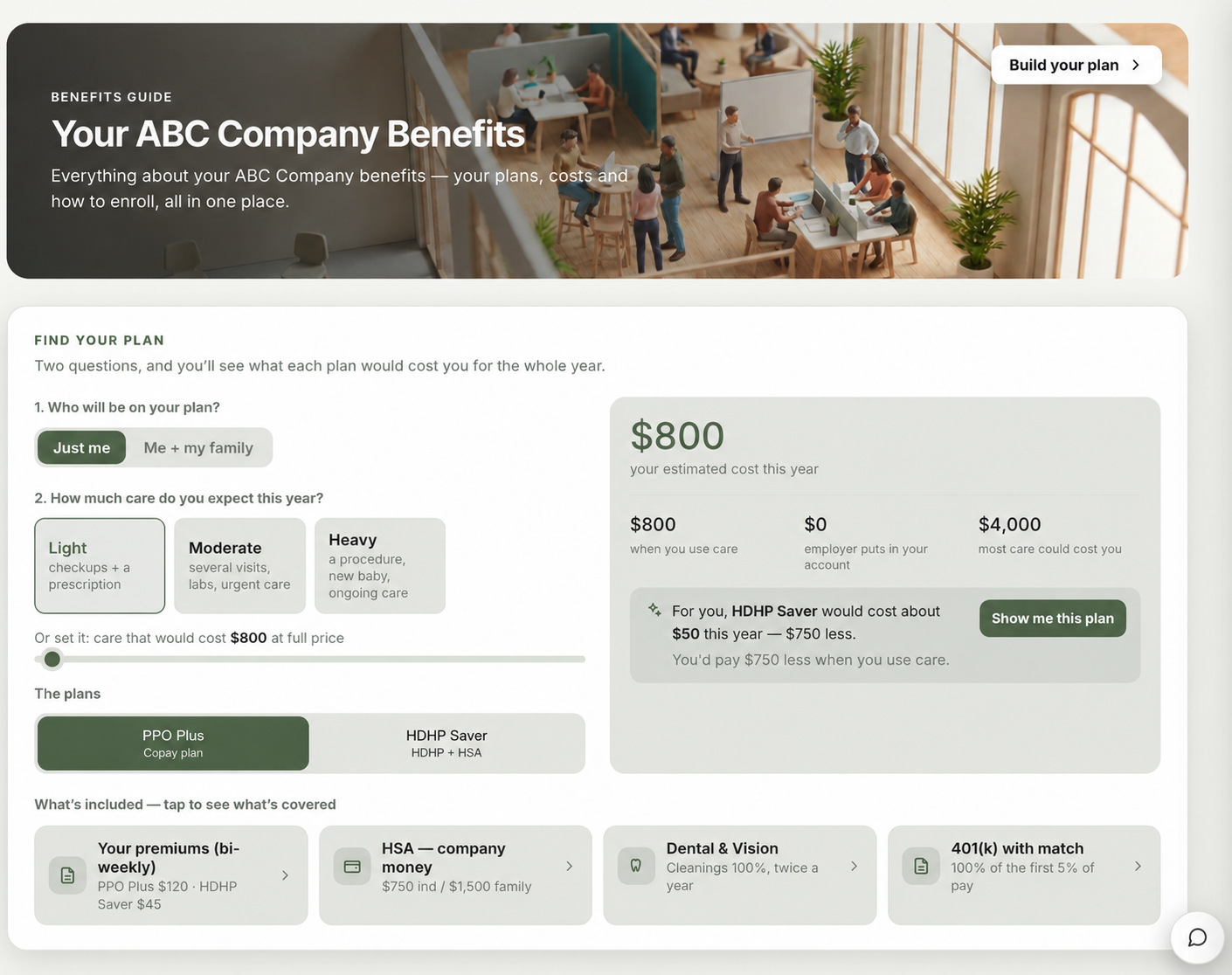
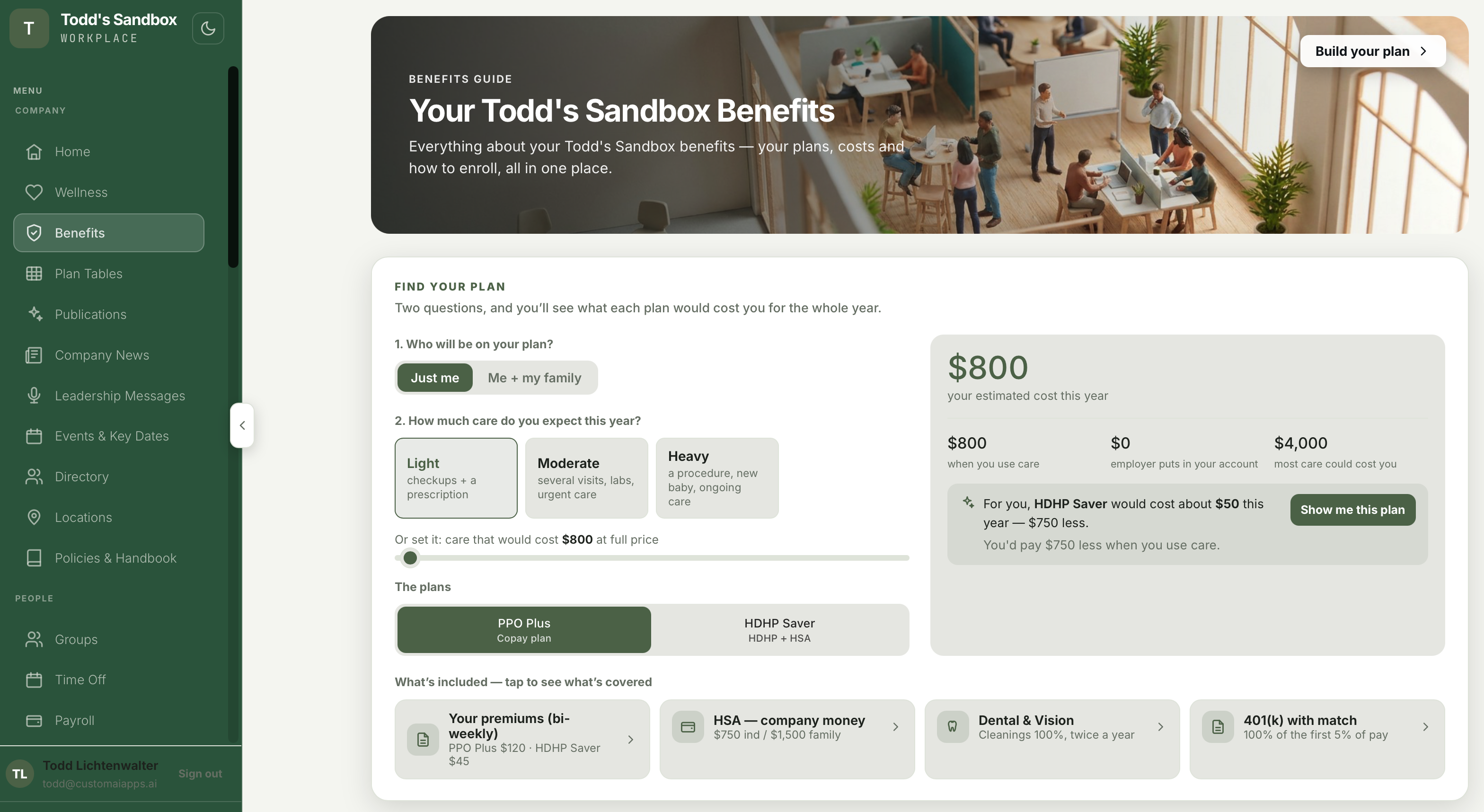
This current sandbox view shows how the company menu, published resources, and a benefits guide work together. HR chooses which sections to publish; employees get one place to move between them.
Start with a theme, then fine-tune the logo, colors, fonts, background, app icon, and layout. Preview changes on the phone, save a reusable look or draft, and choose “Publish Hub” when employees should see it.
Choose sections from the library, add custom tabs, and reorder them. Put up to five in the bottom bar, enable an optional top quick-access bar, and leave the rest in the menu. Employees can rearrange their own bottom bar.
Publish documents and courses from their authoring tools. Curate pages, files, tables, videos, FAQs, links, and AI chat into guided publications such as a welcome experience.
Publish the hub, then share its phone-app link or QR code. Employees can add it to their home screen and sign in to the same company experience they use on desktop.
Open the hub to see relevant announcements, upcoming dates, learning, and available benefits resources. Personal tasks and shared documents have their own places, so a follow-up has somewhere to land.
Employees can submit HR, IT, and facilities requests and follow their status. Forms bring common needs such as address changes, equipment requests, and employment verification into the same experience.
New starters see their onboarding journey, due tasks, progress, and the people helping them. Offboarding checklists provide a place for the steps at the other end of employment.
Courses, conversation practice, recognition, habits, challenges, and wellness resources sit beside everyday work. Personal wellness journals stay private.
Use the directory to find a colleague, exchange messages, and join groups. Company news, podcasts, announcements, surveys, and polls give employees ways to listen and participate.
Give employees access to benefits, plan tables, total rewards, policies, media, discounts, the company store, and your chosen apps and links. HR controls which sections are published.
Employees can prepare reports from the knowledge HR has shared. When their employer enables Builder access, they can also create documents using the authoring tools.
With AI Concierge, employees can ask about the benefits, policies, and next steps your team has shared. Keep that material current and check answers against the source when a decision matters.
Signed-in employees can upload their own documents to My Knowledge, then choose My documents in the same Zip chat. Personal answers draw from their private shelf; company answers draw from information shared by the company.
Public website assistance uses a separate channel and approved public material. An employee’s signed-in assistant stays inside the employee experience and its allowed company knowledge.
Explore an illustrative employee home. These examples show how the modules connect; they contain no employee records or live AI.
Your next steps, company resources, and people—all in one place.
Get to know the company and find your way around.
Start with the guide, compare the supplied plan information, and ask a question if something is unclear.
Courses, practice, and certification belong to the same learning experience.
AI Concierge is an additional module. Answers use the knowledge approved for the audience.
Explore AI Concierge ↗An example of how your team could put this module to work.
In Employee App, HR applies a theme, selects the sections people need, and previews the phone experience. Changes can stay in a draft until the team is ready.
HR prepares the welcome publication, learning, and documents in their authoring tools, then chooses “Publish Hub” and shares the live link or QR code.
Employees sign in on desktop or phone to find the published sections, read the welcome guide, complete learning, and ask for help. They can arrange their own bottom bar around the tools they use most.
A branded desktop and phone home for published resources, learning, and assigned work. Your team controls the menu and sharing settings. Zip brings company answers and each signed-in employee’s private documents into one chat with separate knowledge shelves; module and access settings determine what is available.